
After complete setting up Transaction Modes, the next step is creating Groups (or we can say Department/section/branch/sector). You can setup unlimited number of Groups. To manage Groups, please go to Dashboard and click on Group icon). On the page, you will see list of Groups which you created and you will be able to add/edit/delete/publish/unpublished Groups using the buttons on toolbar.
- To create a Group, you can simply click on New button in the toolbar and fill-in necessary information.
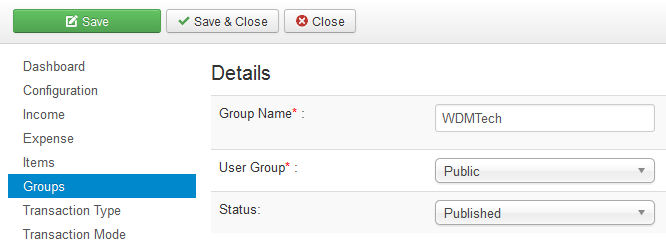
The table below list the important fields and it's meaning which you need to enter when you create Transaction Mode.
| Property | Description |
|---|---|
| Group name | Name (title) of the Group. |
| User Group | Choose the User Group which you want to be able to access to this Group. By choosing an User Group, only users from groups has this access level can access to the Group(or we can say Department/section/branch/sector) |