
vAccount allows you to Categorize your transactions infinite categories and subcategories(nested categories) to give you a clear picture of your Income/Expense. On a typical Accounting system, you will have different categories to categorize your transactions into. To manage categories, please go to vAccount => Transaction Type (or go to Dashboard and click on Transaction Type icon). On the page, you will see list of categories (Transaction Types) which you created and you will be able to add/edit/delete/publish/unpublished categories (Transaction Types) using the buttons on toolbar.
Create new category
- To create a category, you can simply click on New button in the toolbar and fill-in necessary information.
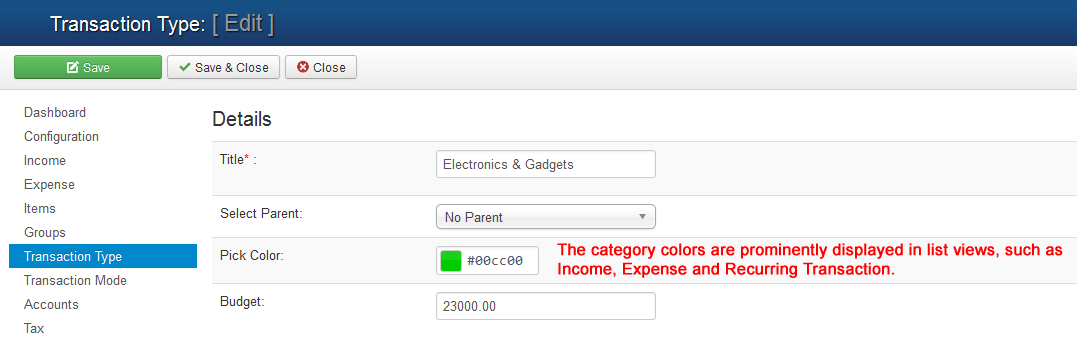
- The table below list the important fields and it's meaning which you need to enter when you create Category (Transaction Type).
| Property | Description |
|---|---|
| Title | Name (title) of the category. The name will be displayed to end-users. |
| Parent | Choose the parent category. Set it to “No Parent” if it is top level category. |
| Pick Color | Select colour of your choice for your Category (Transaction Type) |
| Budget | Set your budget for this Category (Transaction Type) |