
export virtuemart
- Daniel
- Offline
- Administrator
-

16 Jun 2017 08:44 #4423
by Daniel
Thanks
Daniel
Replied by Daniel on topic export virtuemart
Hi,
Yes Export profile is setup correctly, However I still see english language tables in import Profile. Please correct this.
Yes Export profile is setup correctly, However I still see english language tables in import Profile. Please correct this.
Thanks
Daniel
Please Log in to join the conversation.
- Heré
- Topic Author
- Offline
- New Member
-

Less
More
- Posts: 9
16 Jun 2017 07:06 #4422
by Heré
Replied by Heré on topic export virtuemart
Hi,
The transfer of virtuemart content is not simple !! I can not do it .
.
Can you help me a little more. Otherwise I will copy the contents of the tables by sql
Regards
The transfer of virtuemart content is not simple !! I can not do it
.Can you help me a little more. Otherwise I will copy the contents of the tables by sql
Regards
Please Log in to join the conversation.
- Heré
- Topic Author
- Offline
- New Member
-
Less
More
- Posts: 9
15 Jun 2017 07:51 #4419
by Heré
Replied by Heré on topic export virtuemart
HI,
Have you looked at my csv file and images to tell me if the export is set correctly?
I find it difficult with the change of language. Help on import (with screenshot or other) would be appreciated
suggestions You could then put it in the faq for that to help other people !!
Regards
Have you looked at my csv file and images to tell me if the export is set correctly?
I find it difficult with the change of language. Help on import (with screenshot or other) would be appreciated
suggestions
You could then put it in the faq for that to help other people !!Regards
Please Log in to join the conversation.
- Daniel
- Offline
- Administrator
-
15 Jun 2017 05:36 #4417
by Daniel
Thanks
Daniel
Replied by Daniel on topic export virtuemart
You need to change the tables in import profiles as well.
Thanks
Daniel
Please Log in to join the conversation.
- Heré
- Topic Author
- Offline
- New Member
-
Less
More
- Posts: 9
14 Jun 2017 21:56 #4415
by Heré
Replied by Heré on topic export virtuemart
The definition is better in pdf
Please Log in to join the conversation.
- Heré
- Topic Author
- Offline
- New Member
-
Less
More
- Posts: 9
14 Jun 2017 21:50 #4414
by Heré
Replied by Heré on topic export virtuemart
HI,
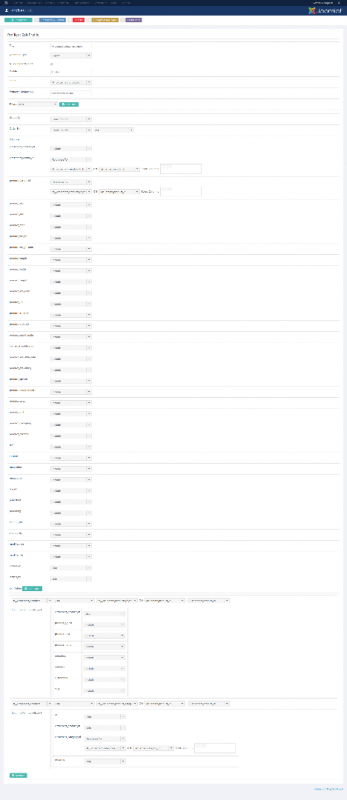
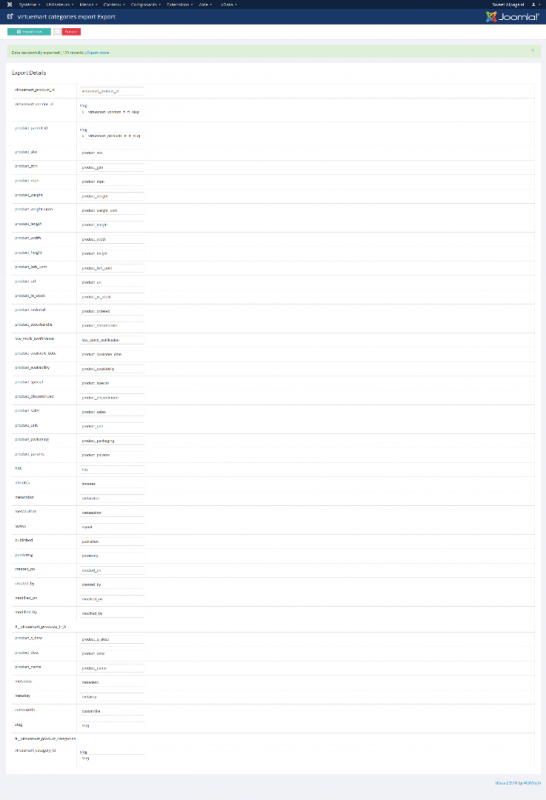
Thanks for the screenshots.
I think export is good (see csv files and images)
However, no import.
Is there also a setting to do?
Regards
Thanks for the screenshots.
I think export is good (see csv files and images)
However, no import.
Is there also a setting to do?
Regards

Please Log in to join the conversation.
- Daniel
- Offline
- Administrator
-
14 Jun 2017 07:22 #4410
by Daniel
Thanks
Daniel
Replied by Daniel on topic export virtuemart
Hello,
Please check the attached screenshots.
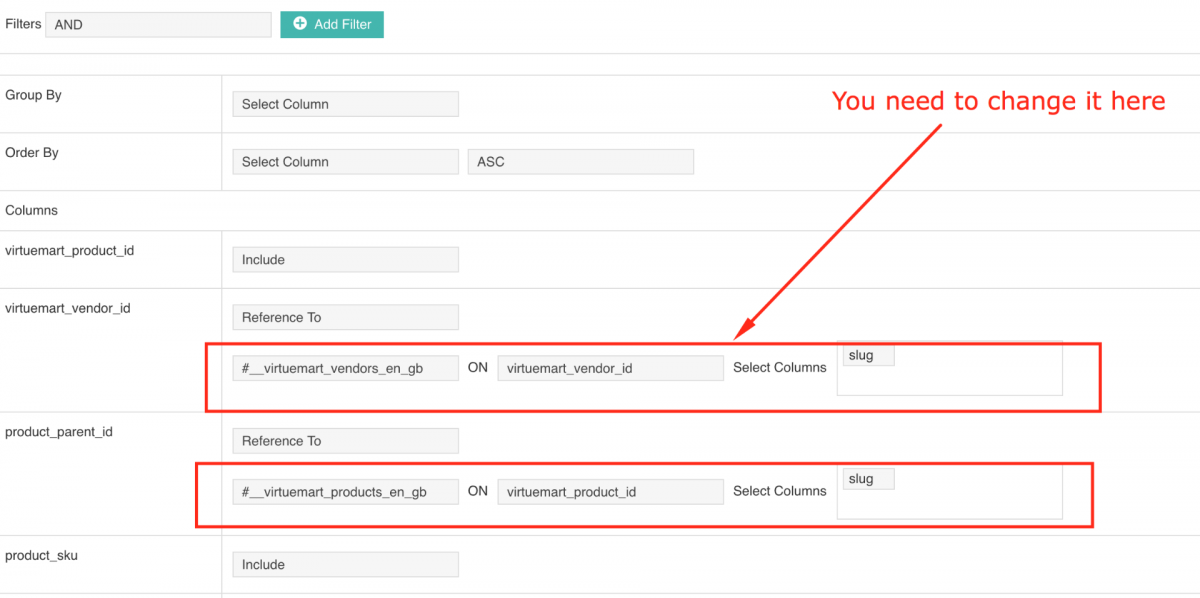
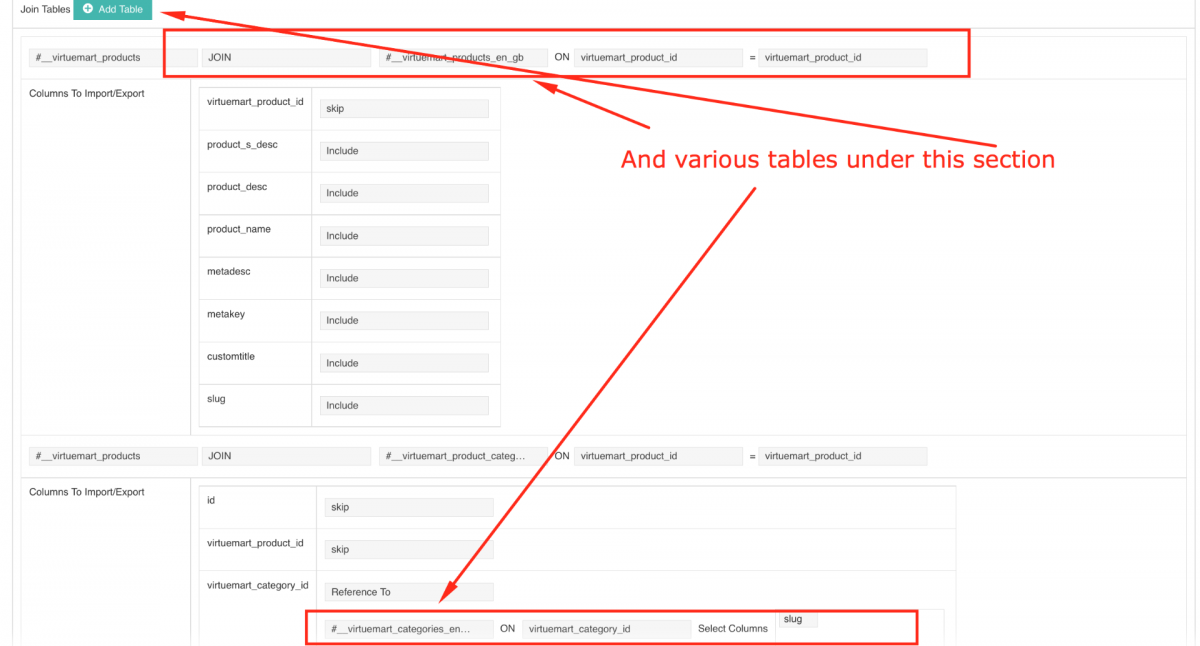
Please check the attached screenshots.
Thanks
Daniel
Please Log in to join the conversation.
- Heré
- Topic Author
- Offline
- New Member
-
Less
More
- Posts: 9
13 Jun 2017 12:56 #4404
by Heré
Replied by Heré on topic export virtuemart
Hello
Thank you for the quick reply
Do you have a screen copy because I do not see where
But what interest to switch your component (well done for data management) rather than go through phpmyadmin ??
I understand for pictures. Nevertheless I would have seen a profile that allow me to select all the tables in one click
VM has many tables
In addition you seem to be a specialist of virtuemart
Regards
Thank you for the quick reply
Daniel wrote: Hello,
Yes vData migrates the data from database only. You need to upload the image directory separately. I think that you can do very quickly. And You can change the english table to a french one using the Virtuemart Profile settings available in vData.
Do you have a screen copy because I do not see where
But what interest to switch your component (well done for data management) rather than go through phpmyadmin ??
I understand for pictures. Nevertheless I would have seen a profile that allow me to select all the tables in one click
VM has many tables
In addition you seem to be a specialist of virtuemart
Regards
Please Log in to join the conversation.
- Daniel
- Offline
- Administrator
-
13 Jun 2017 12:47 #4402
by Daniel
Thanks
Daniel
Replied by Daniel on topic export virtuemart
Hello,
Yes vData migrates the data from database only. You need to upload the image directory separately. I think that you can do very quickly. And You can change the english table to a french one using the Virtuemart Profile settings available in vData.
Yes vData migrates the data from database only. You need to upload the image directory separately. I think that you can do very quickly. And You can change the english table to a french one using the Virtuemart Profile settings available in vData.
Thanks
Daniel
Please Log in to join the conversation.
- Heré
- Topic Author
- Offline
- New Member
-
Less
More
- Posts: 9
13 Jun 2017 10:22 #4401
by Heré
export virtuemart was created by Heré
Hello,
I just bought the product and I made a first import of items that worked well. Unfortunately there is no automatic import of photos. I will have to sort / copy directories (virtuemart too?)
I now want to export the virtuemart content of a site [joomla 3.7.2 / virtuemart 3.2] to another site (same environment)
Unfortunately, I realize that it is necessary to carry out the opepration table by table !!
I can not export the content (categories, products) in one go?
Blocking point: "Table 'db684240263.#__virtuemart_categories_en_gb' doesn't exist"
This is normal because I have French tables.
How to do ?
Regards
I just bought the product and I made a first import of items that worked well. Unfortunately there is no automatic import of photos. I will have to sort / copy directories (virtuemart too?)
I now want to export the virtuemart content of a site [joomla 3.7.2 / virtuemart 3.2] to another site (same environment)
Unfortunately, I realize that it is necessary to carry out the opepration table by table !!
I can not export the content (categories, products) in one go?
Blocking point: "Table 'db684240263.#__virtuemart_categories_en_gb' doesn't exist"
This is normal because I have French tables.
How to do ?
Regards
Please Log in to join the conversation.